AI Parent Photo Tool

Add Deceased Parents
to Graduation or Baby Photos

Include your deceased parents in life's biggest moments. Free AI tool to add parents to graduation photos, baby pictures, and special milestones they couldn't be here for.

100% Free
Natural Results
Instant Generation
Print Quality

Share Life's Milestones with Your Parents

AI technology that lets you include your deceased parents in the moments that matter most.

🎓

Graduation Photos

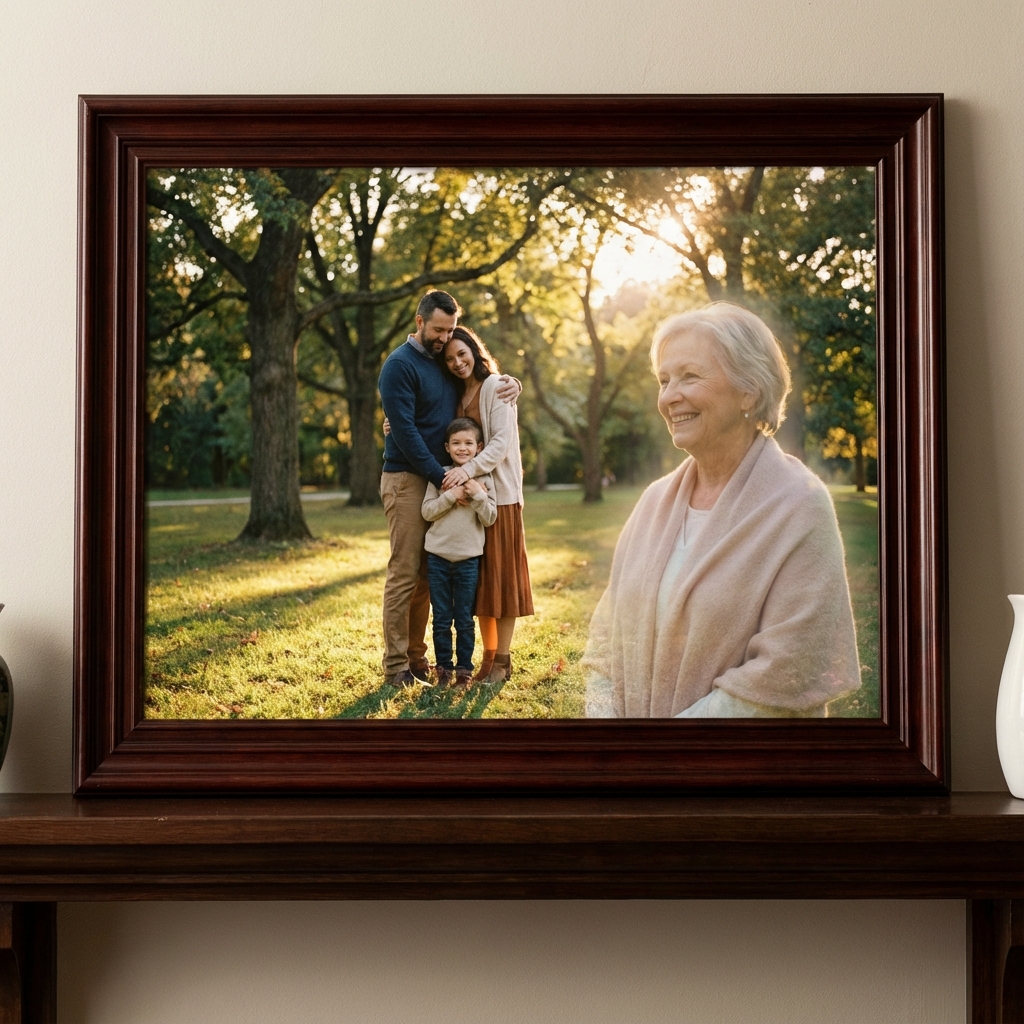
Add deceased parents to your graduation photos so they can witness your academic achievements and proud moments.

👶

Baby & Newborn Photos

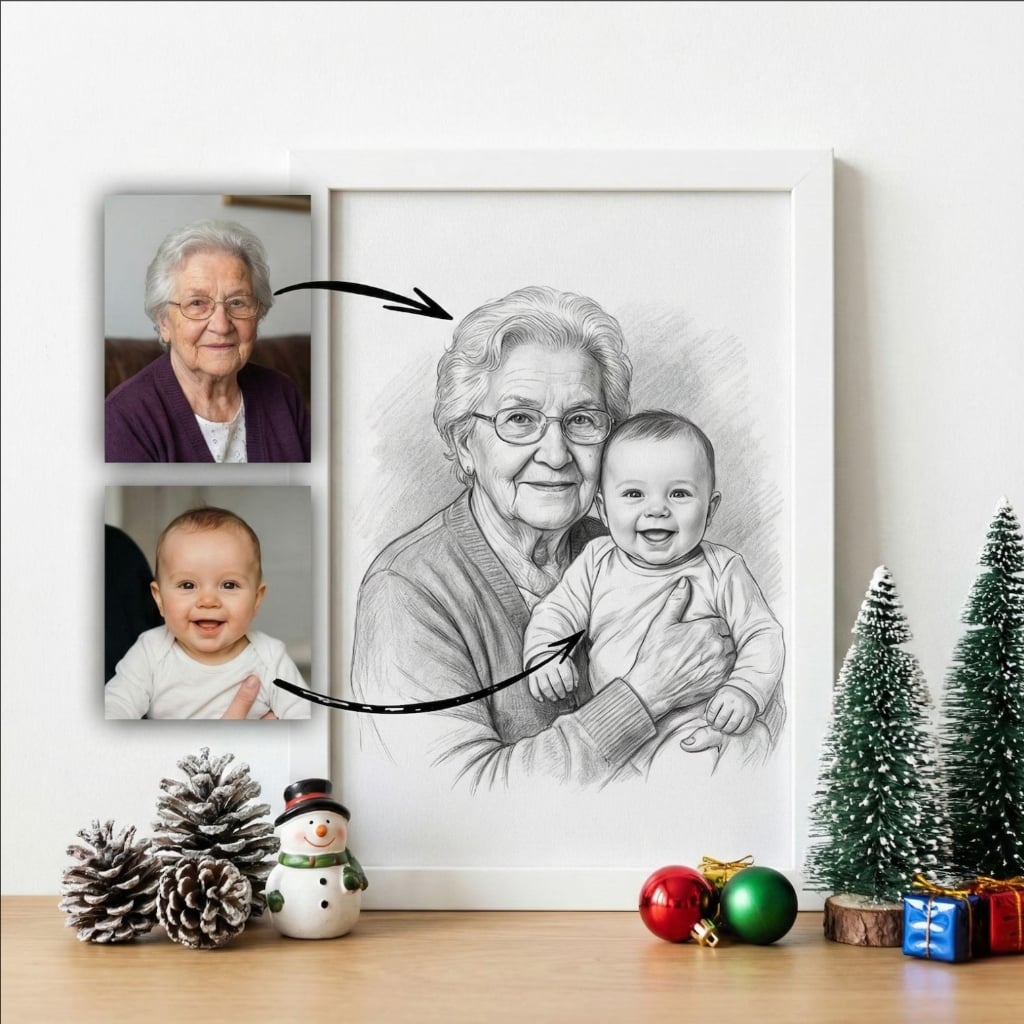
Create touching photos of deceased grandparents meeting their grandchildren - a precious multi-generational moment.

🎨

Natural AI Blending

Advanced AI seamlessly integrates your parents into photos with perfect lighting, perspective, and color matching.

📍

Flexible Positioning

Place your parents prominently in the foreground or subtly in the background - complete creative control.

🖼️

Print-Ready Quality

Ultra-high resolution (300 DPI) perfect for announcements, canvas prints, photo albums, and family displays.

🆓

100% Free

Add deceased parents to unlimited photos. No subscriptions, no hidden fees, no watermarks. Free forever.

Perfect for Life's Important Moments

Include your parents in the achievements and milestones they would have been proud to witness.

🎓

College & High School Graduation

Include your deceased parents in cap and gown photos, diploma ceremonies, or graduation party pictures - let them witness the achievement they helped make possible.

👶

Baby Announcement & First Photos

Create beautiful multi-generational photos showing deceased grandparents "meeting" their grandchildren for birth announcements or nursery wall art.

🏆

Career & Life Milestones

Add parents to photos from promotions, awards, home purchases, or other achievements they would have celebrated with you.

🎂

Birthday & Special Occasions

Include deceased parents in birthday celebrations, anniversaries, or family gatherings where their absence is most deeply felt.

How to Add Deceased Parents to Photos

Create meaningful photos with your parents in 4 simple steps.

1

Upload Your Achievement Photo

Select the photo where you want to add your parents - graduation ceremony, holding your baby, career achievement, or any special moment.

2

Add Photos of Your Parents

Upload clear photos of your deceased parent(s). You can add one or both parents. Photos from any era work - our AI adapts and enhances them.

3

Choose Position & Style

Decide where to position your parents - foreground, background, or beside you. Select artistic style - photorealistic, charcoal, watercolor, or oil painting.

4

Download & Share

Receive your completed photo instantly in high resolution. Print it for announcements, frame it for display, or share it with family.

Heartfelt Stories

From people who shared their milestones with their deceased parents.

"My dad passed before my college graduation. Adding him to my cap & gown photo made me cry - it looks like he's actually there, smiling proudly. This means everything to me."

EP

Emily Parker

Graduation Photo

Featured

"Created a photo of my late mother 'meeting' her first grandchild for our birth announcement. Everyone who saw it was moved. It's our most treasured family photo now."

DT

David Thompson

Baby Photo

"Added both my parents to my promotion celebration photo. They passed years ago but seeing them in this achievement photo brings me peace. The quality is absolutely professional."

AG

Amanda Garcia

Career Milestone

Frequently Asked Questions

Everything you need to know about adding deceased parents to photos.

Upload your graduation photo and clear photos of your deceased parents. Our AI will seamlessly place them in the photo, positioning them as if they're proudly watching your achievement. The AI matches lighting, perspective, and style to create a natural-looking composition.

Yes! This is one of our most cherished uses. Many people create photos showing deceased grandparents meeting their grandchildren. Upload a photo of your baby and photos of your parents - our AI creates a touching multi-generational portrait.

Our AI creates highly realistic results by analyzing lighting direction, shadows, colors, and perspective. The result looks like they were actually present in the photo, not artificially added. You can choose artistic styles like charcoal or watercolor for a more memorial aesthetic.

Absolutely! You can add one or both deceased parents to your photos. Our AI intelligently positions multiple people, creating natural family groupings and maintaining visual balance in the composition.

For best results, use clear photos of your parents where their faces are visible. Group photos work great for graduations and celebrations. For baby photos, we can position parents in the background or holding/near the baby, depending on your preference.

Yes! You have full control. Position your deceased parents prominently in the front, standing in the background as guardian figures, or anywhere in between. Many people choose background placement for a subtle, watching-over presence.

This tool is perfect for graduations, baby announcements, weddings, birthdays, career milestones, or any achievement your parents would have been proud to see. Upload photos from these events and add your parents to share the moment with them.

Yes! Our service is completely free. You can add deceased parents to as many photos as you want - graduations, baby photos, family events - all at no cost. Create and download high-resolution images for printing or sharing.

Include Your Parents
in Life's Big Moments

Free AI tool to add deceased parents to graduation photos, baby pictures, and special achievements. Share your milestones with them, even though they're gone.

Add Parents to Photo Free
No technical skills needed
Works with any photo
Print-quality results