Add Person to Photo Online Free
Instantly add anyone to any photo with AI. Insert a person into a group shot, add someone to a vacation photo, or reunite family members in pictures — all free, all online.

How to Add a Person to a Photo
No Photoshop skills needed. Our AI handles all the complex work automatically.
Upload Your Photos
Upload the main photo and a separate photo of the person you want to add. Works with any image format.
AI Adds the Person
Our add person to photo AI extracts the person and seamlessly inserts them with matched lighting.
Download & Share
Preview your result and download instantly. Ready to share on social media or print as a keepsake.
Ways to Add Someone to a Photo
From group photos to memorial portraits — add anyone to any picture.

Add Person to Group Photo
Someone missed the group shot? Add them seamlessly with AI.
Try it free
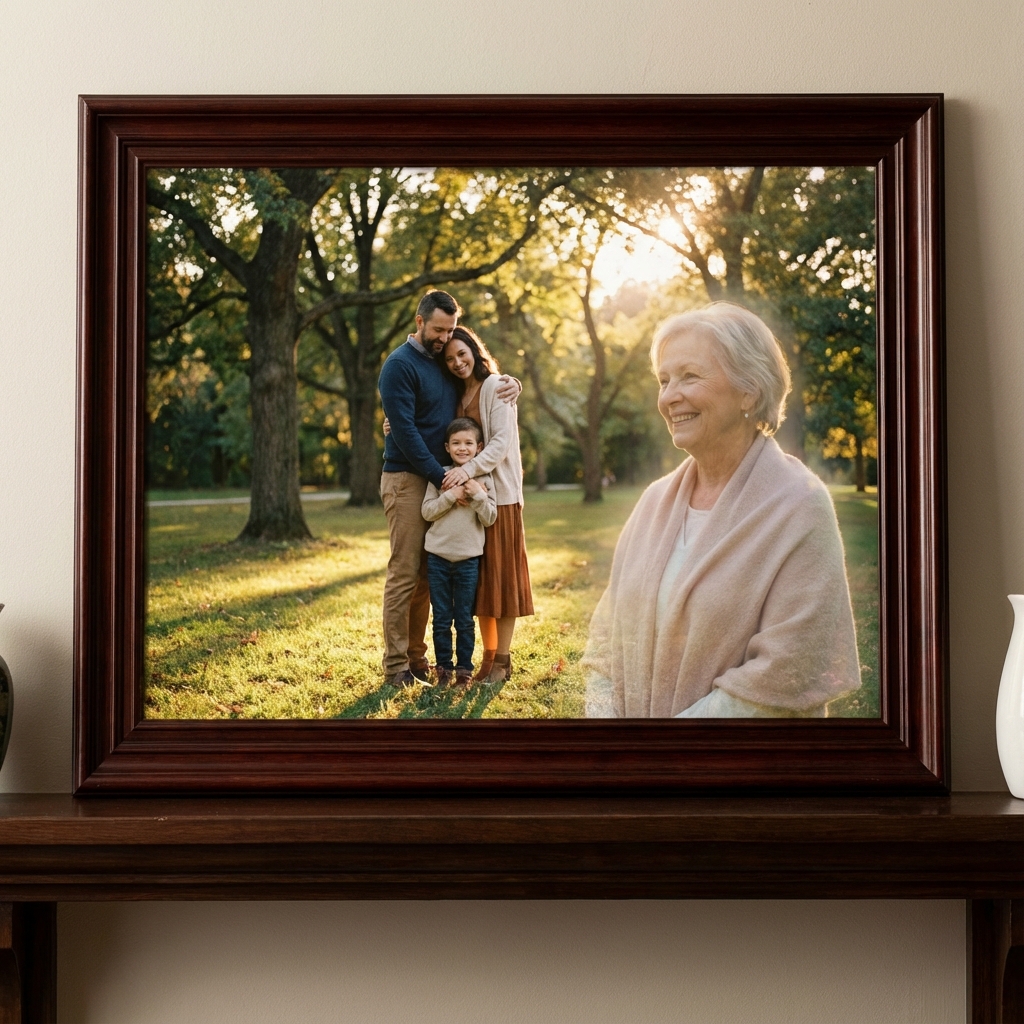
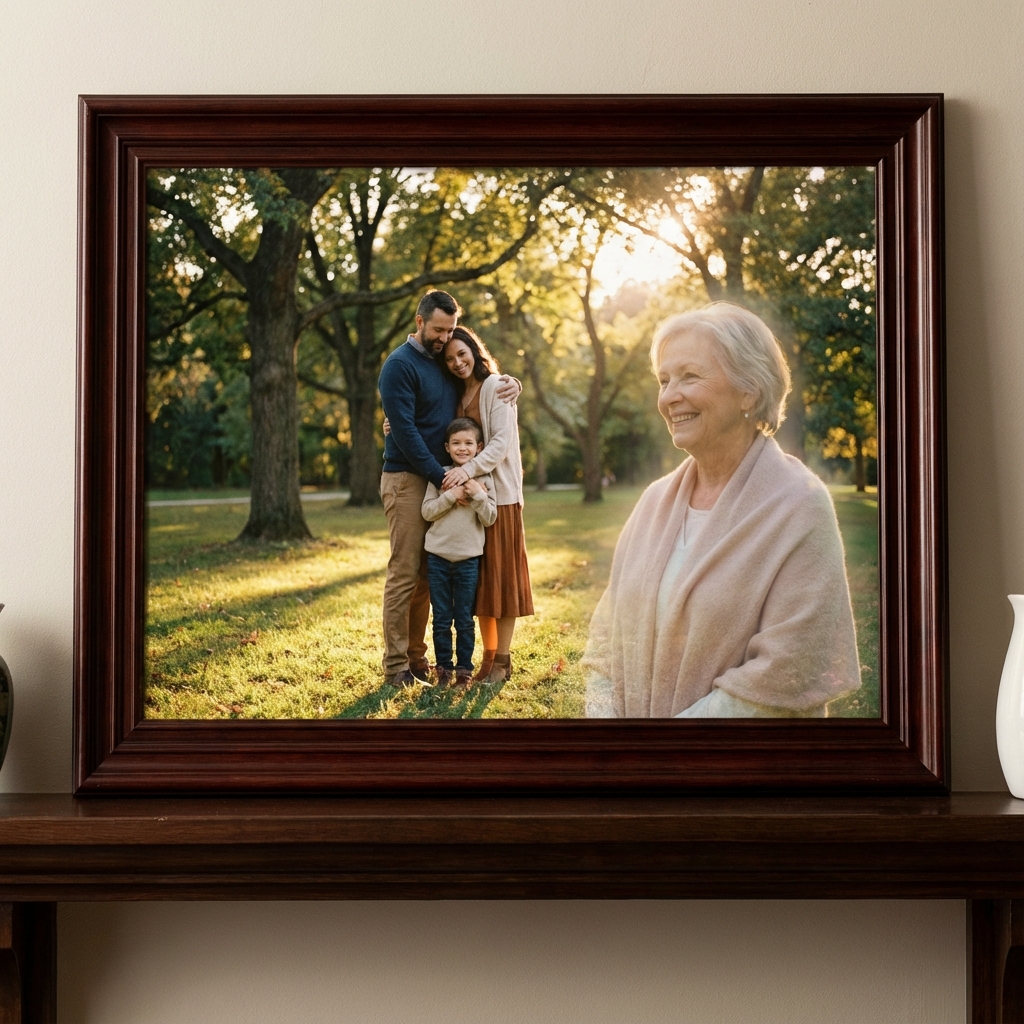
Add Deceased Loved One
Reunite with passed family members in new photos.
Try it free
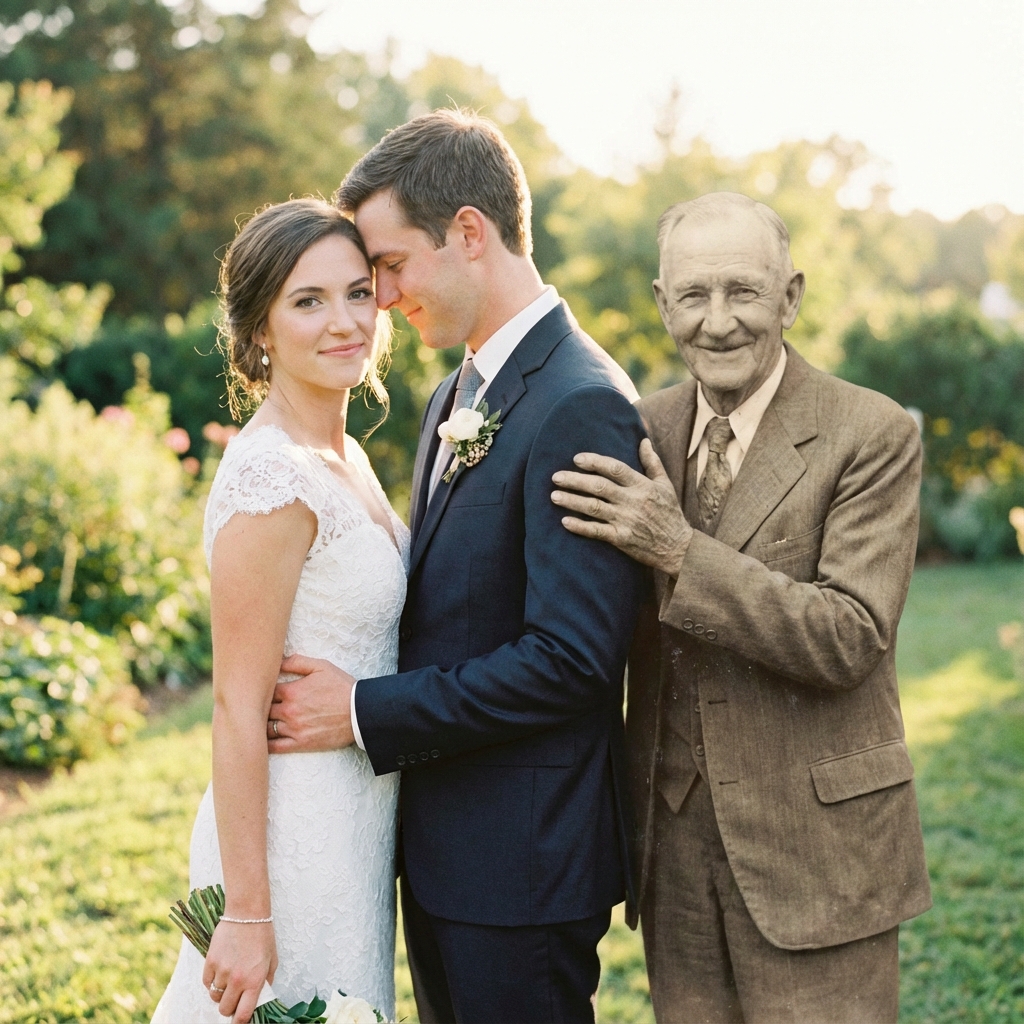
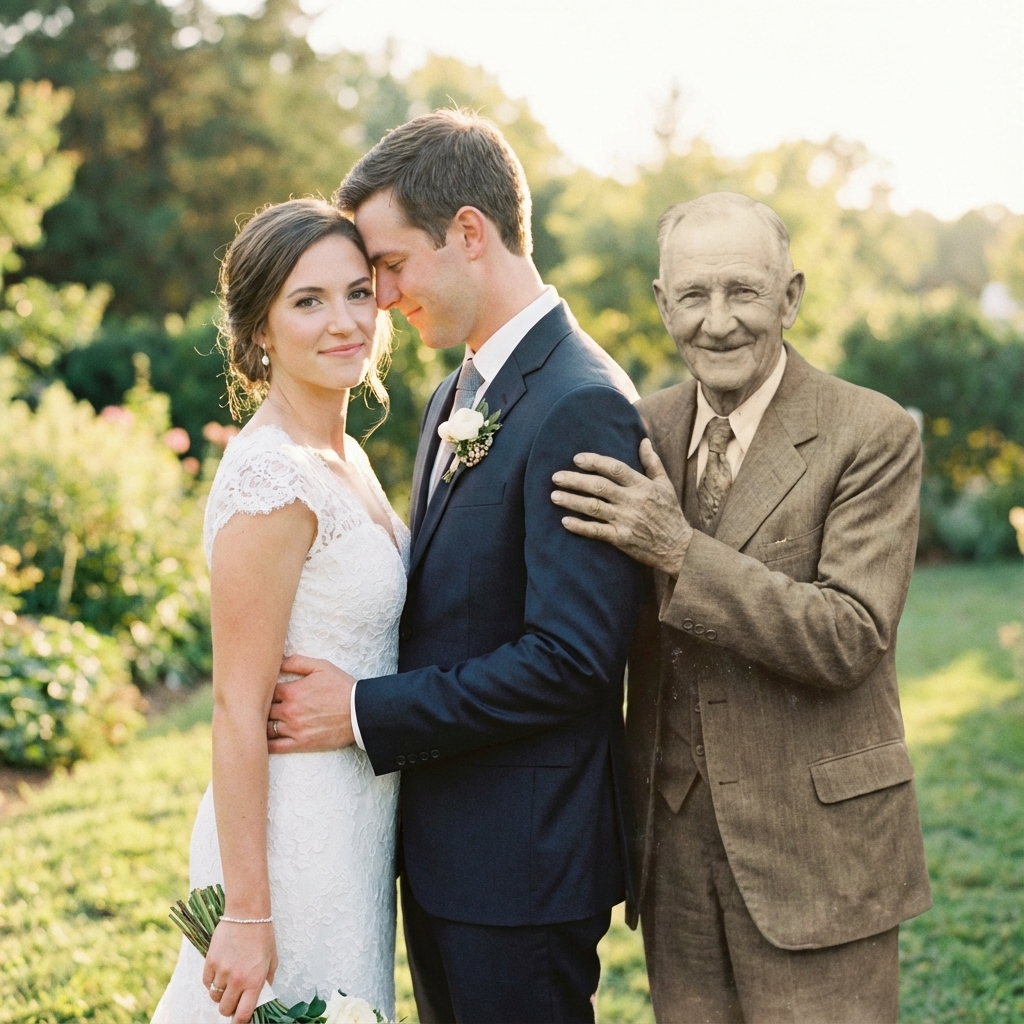
Add Person to Wedding Photo
Include family members who couldn't attend your special day.
Try it free
Add Person to Vacation Photo
Add someone who missed the trip to your vacation memories.
Try it freeThe Best Add Person to Photo Tool
Professional-quality results without the professional price tag.
Add Anyone to Any Photo
Insert a person from one photo into another. Perfect for group shots, family portraits, and memorial photos.
AI-Powered Precision
Our AI automatically matches lighting, shadows, skin tones, and perspective for seamless results.
Multiple People
Add multiple people to the same photo. Reunite entire families or complete group shots.
Color Matching
AI adjusts color temperature and white balance so everyone looks like they belong together.
Works Everywhere
Use on iPhone, Android, iPad, Mac, Windows — any device with a web browser. No download needed.
Print-Ready Quality
300 DPI output ready for canvas prints, photo books, or framing. Professional results guaranteed.
Why Choose Our Add Person to Photo Tool?
See how we compare to Photoshop and free apps.
| Feature | Our Tool | Photoshop | Free Apps |
|---|---|---|---|
| Add Person Instantly | — | — | |
| Automatic Lighting Match | — | — | |
| No Technical Skills Needed | — | ||
| Works on Mobile | — | ||
| Professional Quality | — | ||
| Human Artist Option | — | — | |
| Print-Ready 300 DPI | — | ||
| Free to Try | — | ||
| Add Multiple People | — |
What Users Say About Add Person to Photo
"I needed to add my son who was deployed overseas to our family Christmas photo. The add person to photo tool made it look like he was really there with us!"
Lisa M.
Mother
"We use this to add people who arrive late to group photos at corporate events. Clients can't believe it's not the original shot. Absolute game-changer."
James R.
Event Planner
"My husband passed last year. Being able to add him to photos with our new grandchild is priceless. This technology is truly a blessing for families."
Maria S.
Grandmother
"As a professional photographer, I was skeptical. But the AI matching of lighting and shadows is impressive. I now offer this as a premium service to clients."
David K.
Photographer
The Complete Guide to Add Person to Photo Online Free
Looking to add a person to a photo online free? Our AI-powered photo editor makes it incredibly easy to insert anyone into any picture. Whether you want to add someone to a group photo, include a family member who couldn't attend an event, or create a memorial portrait with a deceased loved one — we've got you covered.
What Does "Add Person to Photo" Mean?
Add person to photo refers to the process of taking a person from one photograph and inserting them into another. Traditionally, this required advanced Photoshop skills and hours of work. Our AI add person to photo tool automates the entire process, delivering professional results in seconds.
Why Use Our Add Person to Photo Tool?
No credit card or signup required
See your edited photo in under 30 seconds
AI handles all the technical work
iPhone, Android, tablet, or computer
Popular Ways to Add Someone to a Photo
- Add person to group photo — Include someone who missed the group shot
- Add deceased loved one — Create touching memorial portraits
- Add to wedding photos — Include family who couldn't attend
- Add to vacation photos — Include someone who missed the trip
- Add to graduation photos — Include parents or grandparents
- Add pet to family photo — Include pets who have passed
How Our AI Add Person to Photo Technology Works
Our advanced AI technology uses machine learning to:
- Detect and extract — Precisely identify and isolate the person from their background
- Analyze lighting — Determine the light source direction and intensity in both photos
- Match colors — Adjust skin tones, white balance, and color temperature
- Add realistic shadows — Generate appropriate shadows based on the new environment
- Blend seamlessly — Eliminate visible edges for a natural-looking result
Ready to Add Someone to Your Photo?
Join over 1 million users who've added people to their photos with our AI. Takes less than 30 seconds.
Add Person to Photo Free✓ No signup ✓ No download ✓ Works on mobile
Frequently Asked
Questions
Everything you need to know about our memorial photo service.