AI Photo Colorization Tool

Colorize & Add
Black/White Deceased Photos

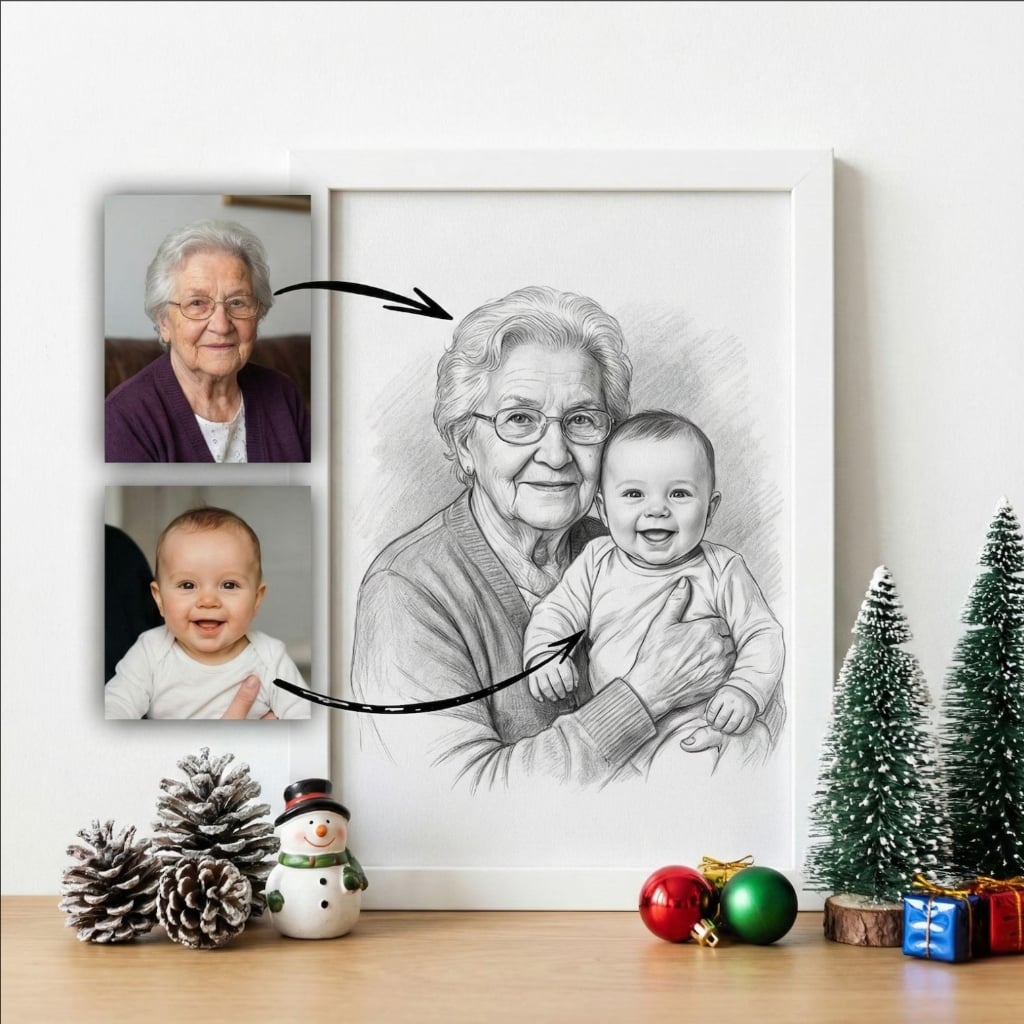
Transform vintage black & white photos of deceased loved ones with AI colorization, then seamlessly add them to modern color photos. Free, instant, and stunningly realistic.

100% Free
Any Era Photo
Realistic Colors
Instant Results

Advanced AI Colorization Technology

Bring vintage black & white photos to life with intelligent, realistic colorization.

๐ŸŽจ

AI Colorization

Advanced algorithms intelligently colorize black & white vintage photos with realistic, historically-appropriate colors.

๐Ÿ”€

Colorize & Merge

Automatically colorize old photos and seamlessly add them to modern color pictures in one streamlined process.

๐Ÿ“…

Any Era Photos

Works with photos from any time period - 1800s daguerreotypes to 1990s black & white film photos.

๐Ÿ‘ค

Natural Skin Tones

AI accurately renders realistic skin tones, hair colors, and facial features for lifelike colorization results.

๐Ÿ–ผ๏ธ

High Quality Output

Ultra-high resolution (300 DPI) colorized images perfect for printing, restoring, and displaying vintage photos.

๐Ÿ†“

Completely Free

Unlimited colorization and photo merging. No subscriptions, no watermarks, no hidden costs. Free forever.

Transform Vintage Family Treasures

Colorize old photos and merge them with new ones to bridge generations in vibrant color.

๐Ÿ‘จโ€๐Ÿ‘ฉโ€๐Ÿ‘งโ€๐Ÿ‘ฆ

Vintage Family Photos

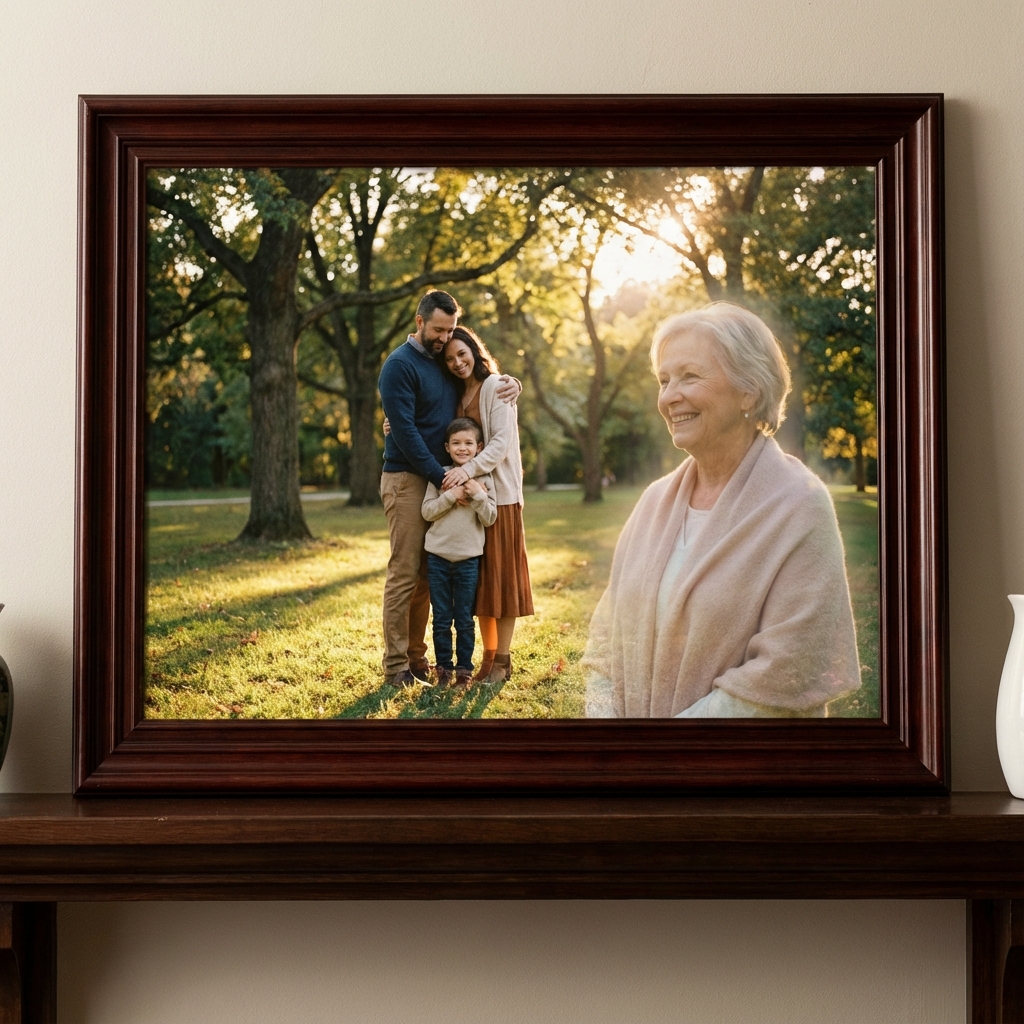
Colorize old black & white family photos and add deceased relatives to modern family reunions or portraits for complete family displays.

๐Ÿ“œ

Historical Documentation

Bring historical family photos to life with color, then merge them with current photos to create visual family timelines and heritage displays.

๐Ÿ’

Wedding Memorial Tributes

Colorize vintage wedding photos of deceased grandparents and add them to your own wedding photos for touching multi-generational tributes.

๐Ÿ’Ž

Restored Heirlooms

Transform faded black & white photos into vibrant color images, then incorporate them into modern family photo displays and albums.

How to Colorize & Add Deceased Photos

Transform black & white photos to color and merge with new pictures in 4 steps.

1

Upload Black & White Photo

Upload your vintage black & white photo of your deceased loved one. Photos from any era work - from 1800s daguerreotypes to recent B&W film.

2

AI Colorizes Automatically

Our AI analyzes the photo and intelligently applies realistic colors - skin tones, clothing, backgrounds - based on historical context and deep learning.

3

Add to New Photo

Upload your modern color photo where you want to add the now-colorized vintage image. Our AI seamlessly merges them with perfect color harmony.

4

Download Full-Color Portrait

Get your high-resolution, fully colorized merged portrait instantly. Print it, frame it, or share it - a vibrant tribute to your loved one.

Colorization Success Stories

People who brought their vintage family photos to life with color.

"Had a 1940s black & white photo of my grandmother. The AI colorization is shockingly realistic - got her eye color perfect! Then added her to our family reunion photo in full color. Amazing!"

LB

Laura Bennett

Vintage Colorization

Featured

"Colorized an 1890s sepia photo of my great-great-grandfather and merged it with our modern family portrait. Seeing 5 generations in full color together is breathtaking. This is incredible technology."

CM

Carlos Mendez

Historical Photo

"Brought my parents' old black & white wedding photo to life with color, then added them to my own wedding photo. Two generations of weddings in beautiful color - absolutely magical."

RH

Rachel Harrison

Wedding Tribute

Frequently Asked Questions

Everything you need to know about colorizing and adding B&W photos.

Our AI analyzes the black & white photo, identifying facial features, clothing, backgrounds, and context. It then intelligently applies realistic colors based on millions of reference images, creating natural-looking colorized versions that bring vintage photos to life.

Yes! Our AI first colorizes your black & white vintage photo of your deceased loved one, then seamlessly adds it to your modern color photo. This creates a unified, natural-looking composition where old and new blend together perfectly.

Our AI creates highly realistic colorizations by analyzing historical context, skin tones, typical clothing colors of the era, and environmental details. While not 100% historically accurate, the results look natural and believable, not artificial or cartoonish.

Absolutely! Our AI works with photos from any era - daguerreotypes, tin types, sepia photos, and faded black & white images from the 1800s through modern day. The older the photo, the more dramatic and meaningful the transformation.

You have full control! If you prefer, you can leave the deceased loved one's photo in black & white and still add it to your color photo for an artistic, mixed-media memorial effect. Or convert everything to match - your choice.

Yes! Upload multiple black & white photos of deceased relatives, and our AI will colorize each one before merging them into your new photo. Perfect for creating multi-generational color family portraits from vintage photos.

While we can't know exact colors with 100% certainty, our AI makes highly educated guesses based on historical data, typical color palettes of the era, and contextual clues in the photo. The goal is natural-looking, believable colorization.

Yes! Our colorization and photo merging service is completely free. Colorize as many black & white photos as you want, add them to new pictures, and download high-resolution results - all at no cost.

Bring Vintage Photos
to Life with Color

Free AI colorization for black & white photos of deceased loved ones. Transform vintage photos with realistic colors, then add to modern pictures. Instant, stunning results.

Colorize Photos Free
Realistic colorization
Any era photo
Merge with new photos